Uploading your application does not automatically make it available to everyone. Google Play and Apple review submissions according to their respective requirements.
Reviewers may check your app’s functionality, privacy practices, content, permissions, and compliance with platform policies.
They may also need access to working demo credentials if your app requires users to sign in.
If the app is rejected, read the review feedback carefully, fix the identified issues, and submit an updated version.
Providing complete information and a stable application can help reduce avoidable delays. However, approval times vary, and no developer can guarantee acceptance or a specific review duration.
Developing a mobile app is an important achievement, but the work does not end when the coding is complete.
The next step is to make the application available to users through platforms such as the Google Play Store and Apple App Store.
This process is known as mobile app deployment.
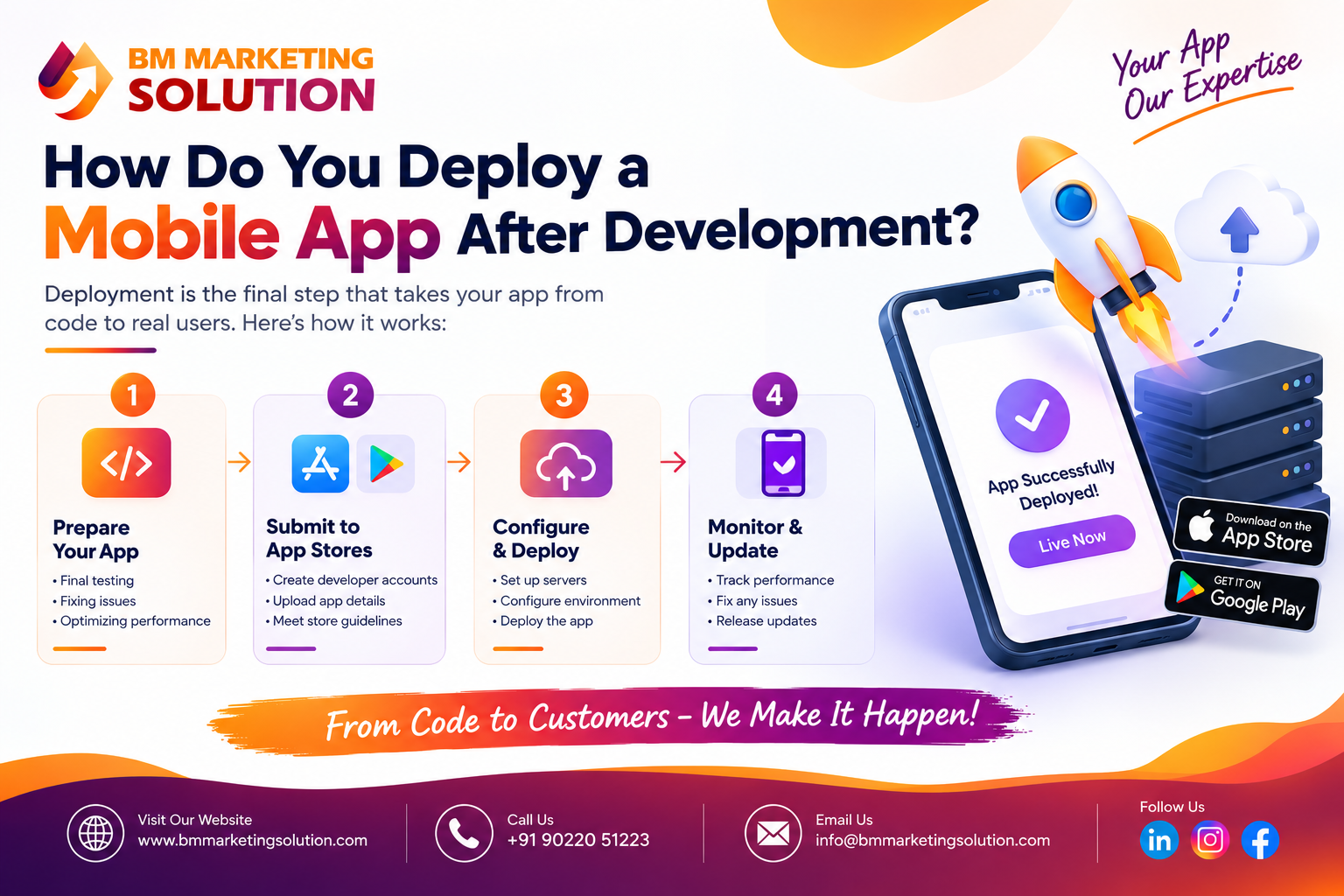
If you are a business owner or planning to launch your first application, understanding How to Deploy a Mobile App After Development can help you avoid unnecessary delays, technical issues, and launch-day problems. Learning How to Deploy a Mobile App involves several important steps, from testing the application and preparing store listings to submitting it for review and monitoring its performance.
A successful launch requires careful planning, security checks, platform compliance, and ongoing maintenance. Following a structured Mobile App Deployment Process helps ensure your application is ready for users and performs reliably after launch. In this guide, we explain each step in simple terms so you can move from development to deployment with confidence.
Get expert guidance for mobile app development, testing, and deployment.
Before publishing your application, make sure it works correctly on different devices and operating system versions. Testing helps identify bugs that could affect user experience after launch.
Check the app’s functionality, navigation, loading speed, responsiveness, and compatibility. Test important features such as login, registration, payment processing, notifications, and data synchronization, where applicable.
You should also conduct security and usability testing. Ensure that sensitive information is protected, permissions are appropriate, and users can navigate the application without confusion. Fix critical issues before moving to the next stage.
Once testing is complete, prepare a release version of your application. This is different from the development version because it is intended for real users.
Developers should remove debugging settings, review application permissions, optimize performance, and configure production settings. They must also verify the app’s package identifier or bundle ID, version number, and signing configuration.
For Android, the Google Play Store generally uses an Android App Bundle (AAB) for new app submissions. For iOS, developers typically archive and upload the application through Xcode or an appropriate Apple-supported workflow.
Make sure all required production services, APIs, databases, and third-party integrations are configured correctly before release.
To publish an application through official app stores, you need the appropriate developer account.
For Android applications, create a Google Play Console developer account. For iOS applications, enroll in the Apple Developer Program and use App Store Connect to manage your application.
Complete the required account information and verification steps. If you are publishing an app for a business, choose the appropriate account type and ensure that the organization’s details are accurate.
These accounts allow you to submit builds, manage store listings, review feedback, and access important information about your app’s performance.
Keep in mind that registration requirements, fees, and verification procedures can vary by platform and may change over time.
Your app store listing helps users understand what your application offers and why they should install it. A clear, attractive listing can make a positive first impression.
Prepare the following details before submission:
App name: Choose a name that is relevant and easy to remember.
App description: Explain the app’s purpose, main features, and benefits.
App icon: Create a professional icon that represents your brand.
Screenshots and previews: Show the app’s important screens and functionality.
Privacy policy: Provide a valid privacy policy and complete the required privacy disclosures.
Category and pricing: Select the appropriate category and decide whether the app is free or paid.
Ensure that the information is accurate and consistent with your app’s actual functionality. Missing information or unfinished features can create problems during the review process.
After preparing the release build and store listing, upload your app to the relevant platform.
For Android, sign in to Google Play Console, select your application, create a release, and upload the required Android App Bundle. Complete the app content declarations and other required information before submitting the release.
Uploading your application does not automatically make it available to everyone. Google Play and Apple review submissions according to their respective requirements.
Reviewers may check your app’s functionality, privacy practices, content, permissions, and compliance with platform policies.
They may also need access to working demo credentials if your app requires users to sign in.
If the app is rejected, read the review feedback carefully, fix the identified issues, and submit an updated version. Providing complete information and a stable application can help reduce avoidable delays. However, approval times vary, and no developer can guarantee acceptance or a specific review duration.
Once your app is approved, complete the publishing steps required by the selected platform. Depending on your release settings, the app may become available immediately or at a scheduled time.
After launch, monitor important performance indicators, including:
– App downloads and installations
– Crashes and technical errors
– Loading speed and responsiveness
– User ratings and reviews
– Retention and engagement
– Conversion rates, where relevant.
Consider releasing updates in stages when the platform supports that option. Monitoring early feedback allows your team to identify issues before they effect more users. Google Play also provides release metrics and Android performance reports to help developers track app quality.
App deployment is not a one-time activity. After launch, your application needs regular maintenance to remain secure, reliable, and compatible with changing devices and operating systems.
Fix bugs, improve existing features, update dependencies, and respond to genuine user feedback. Keep your backend services and security measures up to date as well.
You should also plan future improvements based on analytics and business goals. For example, an e-commerce app may need a smoother checkout process, while a business management app may benefit from improved reporting or integrations.
Regular maintenance helps protect your investment and creates a better long-term experience for users.
Ans : Deployment can take anywhere from a few days to several weeks, depending on testing, store listing preparation, account verification, platform reviews, and any required fixes. Complex apps or incomplete submissions may take longer.
Ans : Yes. You can distribute test versions to selected users through supported testing options. Google Play offers internal, closed, and open testing tracks, while Apple provides TestFlight for beta testing before public release.
Ans : Yes. Android apps are generally submitted through Google Play Console, while iOS apps are submitted through App Store Connect. Even when you use a cross-platform framework, each platform has its own build, signing, submission, and review requirements.
Ans : Read the review message, identify the exact issue, and correct it before resubmitting. Check for crashes, incomplete features, missing privacy details, broken links, and incorrect review credentials. If you need clarification, use the relevant platform’s review communication process.
Deploying a mobile app after development involves more than uploading a file to an app store. It requires thorough testing, release preparation, developer account setup, store listing optimization, platform review, and ongoing maintenance. Understanding the Mobile App Deployment Process helps businesses prepare for a smoother launch and deliver a reliable experience to their users.
Whether you are launching a startup app, an e-commerce platform, or a custom business application, knowing How to Deploy a Mobile App After Development can help you avoid common mistakes and prepare your application for success. By following the right steps, you can make How to Deploy a Mobile App a more manageable process and build a strong foundation for future improvements.
BM Marketing Solution helps businesses explore mobile app development solutions that align with their goals, technical requirements, and future growth plans. Contact our team to discuss your mobile app project and take the next step toward launching your application successfully.
Website : https://bmmarketingsolution.com/
Phone : +91 90220 51223
Email : info@bmmarketingsolution.com

SEO & Digital Marketing Executive
With 1.5+ years of experience in SEO, WordPress and digital marketing, I focus on creating informative and SEO-friendly content that helps businesses grow online. I believe in writing clear, practical and easy-to-understand articles that provide real value to readers.

BM Marketing Solution - Building Brands That Stand Out Online
Address: Office no. G610, 5th Floor, Mega Center, Pune - Solapur Rd, Magarpatta, North Hadapsar, Hadapsar, Pune, Maharashtra 411013.
Phone : +91 90220 51223
Email: info@bmmarketingsolution.com
Copyright © 2025 BM Marketing Solution All Rights Reserved