After development and testing are complete, your application is ready for launch.
For Android, the app can be submitted to the Google Play Store, while iOS applications are submitted to the Apple App Store.
But launching an app involves more than simply pressing the publish button.
You’ll need to prepare your app listing, screenshots, description, keywords, privacy information, branding assets, and other required details.
This is also where App Store Optimization (ASO) becomes important. A well-optimized app listing can help improve visibility and attract more potential users.
Have a great mobile app idea but don’t know where to start? You’re not alone. Many successful apps started with nothing more than a simple idea and a problem that someone wanted to solve.
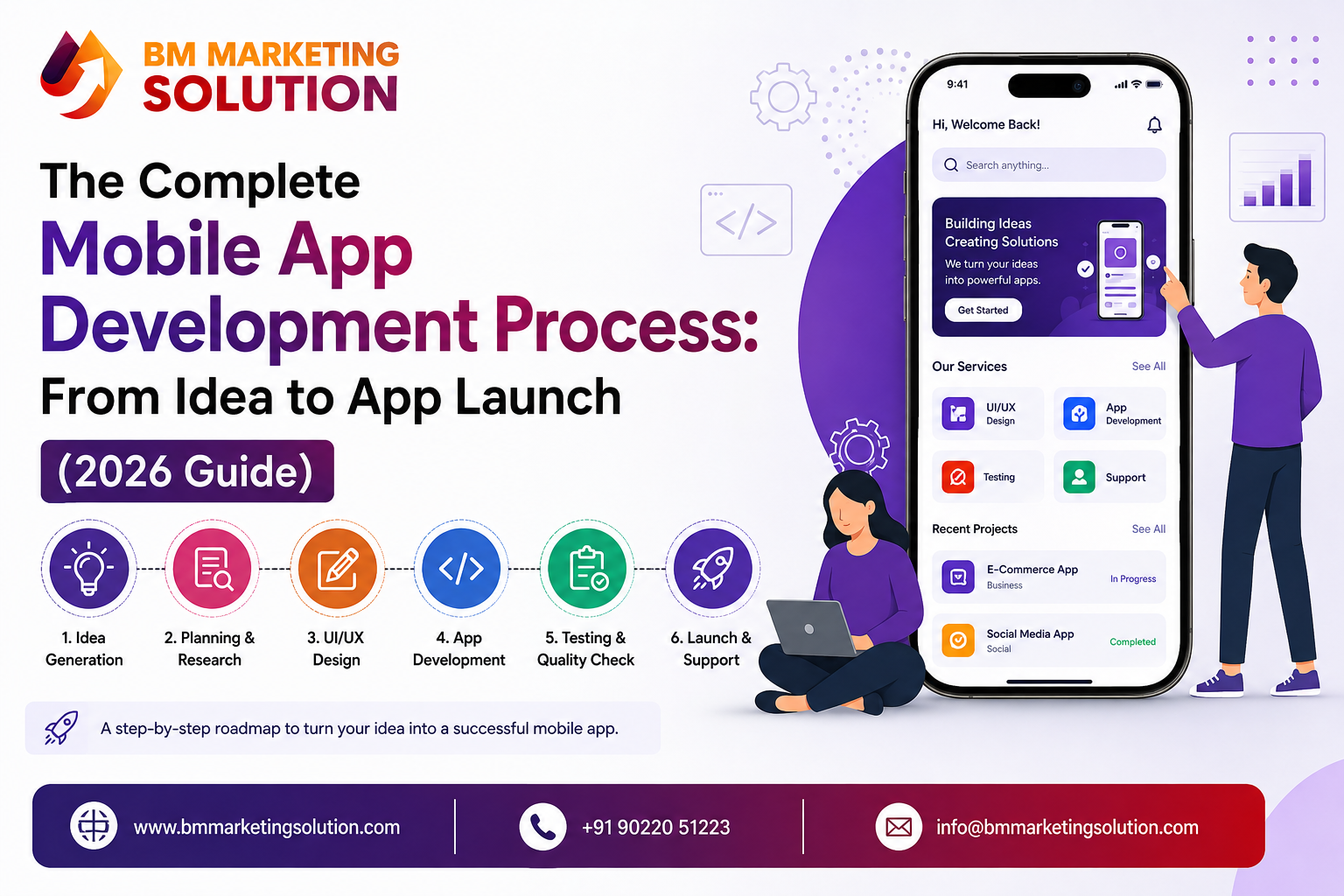
Turning that idea into a real mobile app, however, takes more than just coding. Proper planning, market research, UI/UX design, development, testing, and ongoing support are all important parts of the mobile app development process. Understanding the complete mobile app development process can help you avoid common mistakes, manage your budget, and build an app that people actually want to use.
In this guide, we’ll explain the most important mobile app development steps, from validating your initial idea and planning the features to designing, developing, testing, launching, and maintaining your app. Whether you’re a startup or an established business, understanding these stages can help you make better decisions throughout your app development journey.
Have an app idea you had like to turn into reality?
The first step is to find out whether your idea solves a real problem.
Before investing money in development, think about who will use your app and why they would choose it. Talk to potential users, collect feedback, search for similar apps, and understand what customers are currently missing.
For example, if you want to build a food delivery app, simply offering food ordering may not be enough. You might need to identify a specific problem, such as faster delivery, better local restaurant options, or an easier ordering experience.
The goal of idea validation is simple: make sure there is a genuine need for your app before you start building it.
Once your idea looks promising, it is time to understand the market.
Research existing apps that offer similar services. Look at their features, pricing, customer reviews, design, strengths, and weaknesses. Pay special attention to negative reviews because they can reveal problems that your app could solve.
This research can help you identify your unique selling proposition (USP) — the reason users should choose your app instead of an existing alternative.
You do not necessarily need to create something completely new. Sometimes, improving an existing solution and providing a better user experience can be enough to stand out.
This is where you decide exactly what your app should do.
It is tempting to add every feature you can think of, especially when you are excited about your idea. However, trying to build everything immediately can increase development costs, delay the launch, and make the app difficult to manage.
A better approach is to start with an MVP (Minimum Viable Product).
An MVP includes only the essential features required to solve the user’s main problem. Once your app is launched and users start providing feedback, you can gradually introduce additional features.
For example, an e-commerce MVP might initially include :
Advanced features can be added later based on customer demand.
Now it is time to decide how your app will look and work.
Wireframing is like creating a basic blueprint of your application. It shows the structure of different screens and helps determine where important elements such as menus, buttons, forms, images, and navigation will appear.
After the wireframes are approved, designers create the actual UI/UX design. This includes colors, typography, icons, layouts, animations, and the overall visual style.
Good design is not only about making an app look attractive. It should also make the application easy and comfortable to use.
A user should be able to open your app and understand what to do without feeling confused.
One of the most important decisions is choosing the right technology for your application.
You generally have three major options:
Native app development:
Separate applications are developed for Android and iOS. Native development can provide excellent performance and platform-specific experiences.
Technologies such as Flutter and React Native allow developers to build applications for multiple platforms using a shared codebase. This can reduce development time and effort.
Hybrid or other approaches:
Depending on the project requirements, businesses may also consider other technologies and frameworks.
The right choice depends on factors such as your target audience, budget, required performance, features, timeline, and future scalability.
Once the design and technology stack are finalized, development begins.
Developers generally work on two major areas:
Front-end development focuses on everything users interact with, including screens, buttons, forms, navigation, and other visual elements.
Back-end development handles the server, database, APIs, authentication, business logic, and other processes running behind the application.
A professional development team usually works in smaller development cycles or sprints. This makes it easier to review progress, identify issues, and make improvements during development rather than waiting until the very end.
Testing is one of the most important stages of the entire mobile app development process.
Even a well-developed application can contain bugs. QA testers check the application across different devices, screen sizes, operating systems, and network conditions.
Testing may include:
The objective is to find and fix problems before customers encounter them.
A smooth and reliable app creates a much better first impression than an application filled with crashes, errors, or slow-loading screens.
After development and testing are complete, your application is ready for launch.
For Android, the app can be submitted to the Google Play Store, while iOS applications are submitted to the Apple App Store.
But launching an app involves more than simply pressing the publish button.
You’ll need to prepare your app listing, screenshots, description, keywords, privacy information, branding assets, and other required details.
This is also where App Store Optimization (ASO) becomes important. A well-optimized app listing can help improve visibility and attract more potential users.
Launching your app isn’t the end of the journey. In many ways, it’s the beginning of the next phase.
After launch, you need to monitor how people are using your application and listen to their feedback.
Regular post-launch activities may include:
User expectations also change over time. Regular updates help keep your application useful, secure, and competitive.
The development timeline depends heavily on the complexity of the application.
A basic mobile app may take a few months, while a large application with advanced features, integrations, payments, real-time functionality, or complex backend systems can take considerably longer.
Instead of focusing only on speed, businesses should focus on building the right product with proper planning and testing.
Building an application requires more than programming skills. A successful mobile app needs thoughtful planning, intuitive design, secure development, proper testing, and long-term maintenance.
Working with an experienced mobile app development company can help businesses reduce development risks and make better technical decisions from the beginning.
A professional team can help with everything from idea validation and UI/UX design to development, testing, launch, and post-launch support.
Developing a mobile app is a step-by-step journey. A great idea is an important starting point, but proper planning and execution are what turn that idea into a successful digital product.
Understanding the complete mobile app development process — from validating your concept and researching competitors to designing, developing, testing, launching, and maintaining your application — can help you make better decisions at every stage.
Following the right mobile app development steps can also help businesses manage their budget, reduce development problems, improve app performance, and create a better experience for users.
If you are planning to build a mobile application for your business, taking the time to understand the mobile app development process can make your journey more organized and effective.
Ready to turn your app idea into a real product? BM Marketing Solution can help you move from concept to launch with professional mobile app development services tailored to your business needs.
Ans : The timeline depends on the app’s complexity, number of features, platform, design requirements, and integrations. A basic application may take a few months, while a more complex application can take considerably longer.
Ans : There is no fixed price for every application. Development cost depends on factors such as features, UI/UX design, technology, number of platforms, backend requirements, integrations, and ongoing maintenance.
Ans : The best choice depends on your target audience and business goals. If your users are spread across both platforms, cross-platform development can be an option for reaching Android and iOS users while sharing much of the development code.
Ans : No-code and low-code tools can work for simple applications. However, businesses building custom, secure, scalable, or feature-rich applications generally benefit from working with professional developers.

SEO & Digital Marketing Executive
With 1.5+ years of experience in SEO, WordPress, and digital marketing, I focus on creating informative and SEO-friendly content that helps businesses grow online. I believe in writing clear, practical and easy-to-understand articles that provide real value to readers.
Local SEO Guide for Small Businesses: How to Get More Local Customers in 2026 :
Custom Software Development Cost in Pune: A Complete Pricing Guide for Businesses 2026 :
Best Matrix MLM Software Company in Delhi: Features, Price & Demo :
https://bmmarketingsolution.com/best-matrix-mlm-software-company-in-delhi-features-price-demo/
Which Tools Are Used for UI/UX Design? A Complete Guide for Beginners & Businesses :
https://bmmarketingsolution.com/which-tools-are-used-for-ui-ux-design-a-complete-guide-for-beginners-businesses/
How Much Do Digital Marketing Services Cost in India?
https://bmmarketingsolution.com/how-much-do-digital-marketing-services-cost-in-india/

BM Marketing Solution - Building Brands That Stand Out Online
Address: Office no. G610, 5th Floor, Mega Center, Pune - Solapur Rd, Magarpatta, North Hadapsar, Hadapsar, Pune, Maharashtra 411013.
Phone : +91 90220 51223
Email: info@bmmarketingsolution.com
Copyright © 2025 BM Marketing Solution All Rights Reserved