Sometimes visitors reach a page that no longer exists because of an outdated link or an incorrect URL.
Instead of showing a confusing error message, create a useful 404 page. Include a simple explanation and links back to important areas such as the homepage, services, products, or contact page.
If your website includes an internal search feature, test it with different keywords.
Make sure relevant results are displayed and that the search does not return confusing or unrelated pages.
This is especially important for websites with many products, services, articles, or resources.
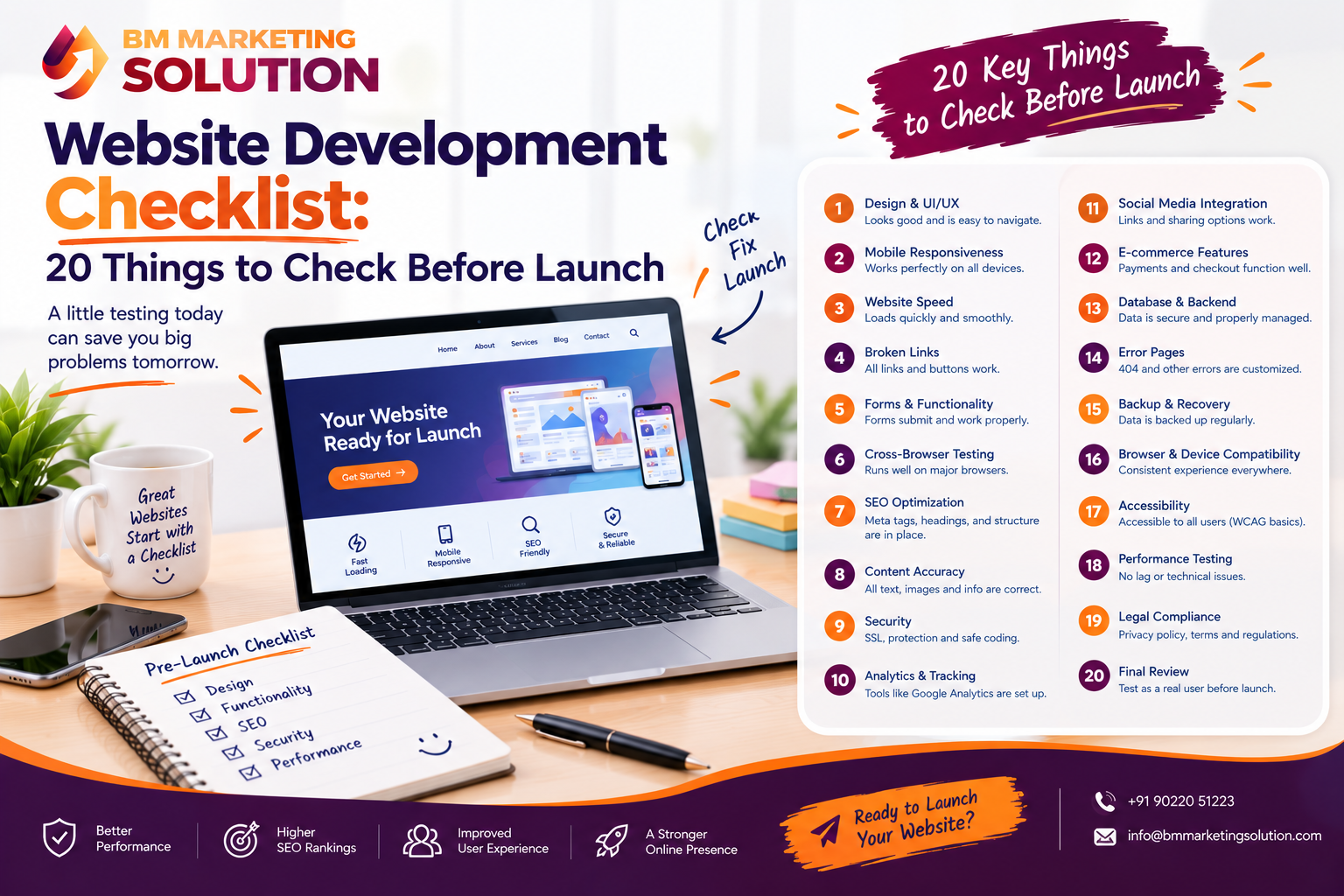
Launching a new website is an exciting step for any business. But before you make your website live, there are several important things you should check. A website may look perfect on the surface, but small issues such as broken links, slow-loading pages, missing SEO elements, or a non-working contact form can affect the user experience and even cost you potential customers.
Think of your website launch like opening a new store. You would not open the doors without checking the lights, products, payment system and entrance first. Your website deserves the same level of preparation.
Whether you are launching a new business website, an e-commerce store, or an updated version of an existing website, this website development checklist can help you identify common problems before visitors find them.
Planning to launch a professional website? Get in touch with BM Marketing Solution for website development, testing, SEO and digital marketing support.
Go through your website and test every important internal and external link. Make sure buttons, menu links, service pages, blog links, and external resources open the correct destination.
Broken links can create a poor experience for visitors and may also affect website maintenance and SEO.
A website can sometimes work perfectly in one browser but have layout or functionality issues in another.
Test your website on commonly used browsers such as Chrome, Firefox, Safari, and Microsoft Edge. Check menus, buttons, forms, images, animations, and important page elements.
Many people browse websites using smartphones and tablets. Your website should therefore work comfortably across different screen sizes.
Check whether text is easy to read, buttons are easy to tap, images fit properly, and menus work correctly on mobile devices.
Website speed can have a direct impact on user experience. If important pages take too long to load, visitors may leave before viewing your content.
Test important pages and look for areas that can be improved. Large images, unnecessary scripts, plugins, and other website elements can sometimes increase loading time.
Before launching, carefully review all website content.
Check headings, paragraphs, product descriptions, service information, contact details, spelling, grammar and punctuation. Even a small mistake can make your website appear less professional.
It is also helpful to ask someone who was not involved in writing the content to review it with fresh eyes.
Your contact form is often one of the most important lead-generation elements on a business website.
Submit a test inquiry and confirm that the message reaches the correct email address. Also test buttons such as Get Started, Contact Us, Request a Quote, Book a Call, or Buy Now.
A button that looks good but does not work can result in missed inquiries.
Check your phone number, email address, business address, working hours, and other contact information before launch.
Make sure the information is consistent across the website, including the header, footer, contact page, and relevant service pages.
If you are launching an online store, test the complete customer journey.
Add a product to the cart, update quantities, enter customer information, apply discounts if available, complete checkout, and test the payment process.
Also verify order confirmation emails and notifications, so customers receive the correct information after placing an order.
Your website should use HTTPS and have a properly configured SSL certificate.
Check that pages load securely and that there are no browser security warnings. If your website includes forms, login functionality, or online payments, secure connections are particularly important.
Before launch, review the essential SEO elements of your website.
SEO titles Meta descriptions Heading structure Image alt text URL structure Internal links Canonical settings where required Robots.txt XML sitemap Each important page should have a clear purpose and should be optimized around relevant search intent.
Install your chosen analytics platform before the website goes live.
Analytics can help you understand where visitors are coming from, which pages they view, and what actions they take on your website.
After installation, perform a test to make sure tracking is working correctly.
An XML sitemap helps search engines discover the important pages on your website.
Create a sitemap and check that it contains the URLs you actually want search engines to crawl. You can then submit it through Google Search Console.
Also check that important pages are not accidentally blocked from crawling or indexing.
Sometimes visitors reach a page that no longer exists because of an outdated link or an incorrect URL.
Instead of showing a confusing error message, create a useful 404 page. Include a simple explanation and links back to important areas such as the homepage, services, products, or contact page.
If your website includes an internal search feature, test it with different keywords.
Make sure relevant results are displayed and that the search does not return confusing or unrelated pages.
This is especially important for websites with many products, services, articles, or resources.
Depending on your business and location, your website may need pages such as:
Make sure these pages contain accurate and current information before launch.
High-quality images are useful, but very large image files can slow down your website.
Compress images before uploading them and use suitable file formats. Also make sure important images have descriptive filenames and appropriate alt text where relevant.
The goal is to maintain good visual quality without unnecessarily increasing page size.
If your website includes social media icons, click each one before launch.
Make sure every icon leads to the correct active profile. Remove old accounts or incorrect links that could confuse visitors.
Always create a backup before making a website live.
A backup gives you a recovery option if something goes wrong during the launch or shortly afterward. Depending on your setup, the backup may include website files, databases, media and important configuration files.
A website may perform well on a fast office or home internet connection but behave differently on slower networks.
Test important pages under slower connection conditions. Pay attention to large images, videos, animations, scripts, and other elements that may take longer to load.
Before pressing the publish button, perform one final review.
Open the website as if you were a customer. Visit the homepage, service pages, product pages, blogs, contact page, and other important sections.
Ask yourself:
Is the information easy to understand?
Can visitors quickly find what they need?
Are the forms working?
Are the important buttons easy to find?
Does the website look professional on mobile and desktop?
Are there any unfinished sections or placeholder texts?
A final review can catch small issues that may have been missed during development.
A successful website launch depends on more than attractive design. Your website should be functional, secure, mobile-friendly, easy to navigate, and properly prepared for search engines. A well-planned website development process can help ensure that these important elements are considered from the beginning.
Following a website development checklist before launch gives you an opportunity to identify problems before they affect real visitors. A detailed website testing checklist can help you review forms, links, loading speed, SEO, security, analytics, mobile responsiveness, and other important website features before going live.
If you do not have the time or technical knowledge to handle these checks yourself, professional support can make the process easier. BM Marketing Solution provides website development, website testing, SEO and digital marketing services to help businesses prepare their websites for launch and support their ongoing online growth.
Phone : +91 90220 51223
Email : info@bmmarketingsolution.com
Website: https://bmmarketingsolution.com/
Ans : The time depends on the size and complexity of the website. A small business website may take a few hours to review, while a large e-commerce or custom website can require several days of testing.
Ans : Yes. Many basic checks, such as proofreading content, testing links, checking contact information, and reviewing pages, can be completed without technical knowledge. More technical areas, such as security, analytics, performance, and server configuration, may require developer support.
Ans : Start with the most important user-facing elements: mobile responsiveness, page loading speed, navigation, forms, CTA buttons, links, contact information, and overall content. After that, review technical SEO, analytics, security, and backups.

SEO & Digital Marketing Executive
With 1.5+ years of experience in SEO, WordPress and digital marketing, I focus on creating informative and SEO-friendly content that helps businesses grow online. I believe in writing clear, practical and easy-to-understand articles that provide real value to readers.
https://bmmarketingsolution.com/binary-mlm-software-with-mobile-app-features-benefits/
https://bmmarketingsolution.com/how-binary-mlm-software-works-a-beginners-guide/

BM Marketing Solution - Building Brands That Stand Out Online
Address: Office no. G610, 5th Floor, Mega Center, Pune - Solapur Rd, Magarpatta, North Hadapsar, Hadapsar, Pune, Maharashtra 411013.
Phone : +91 90220 51223
Email: info@bmmarketingsolution.com
Copyright © 2025 BM Marketing Solution All Rights Reserved